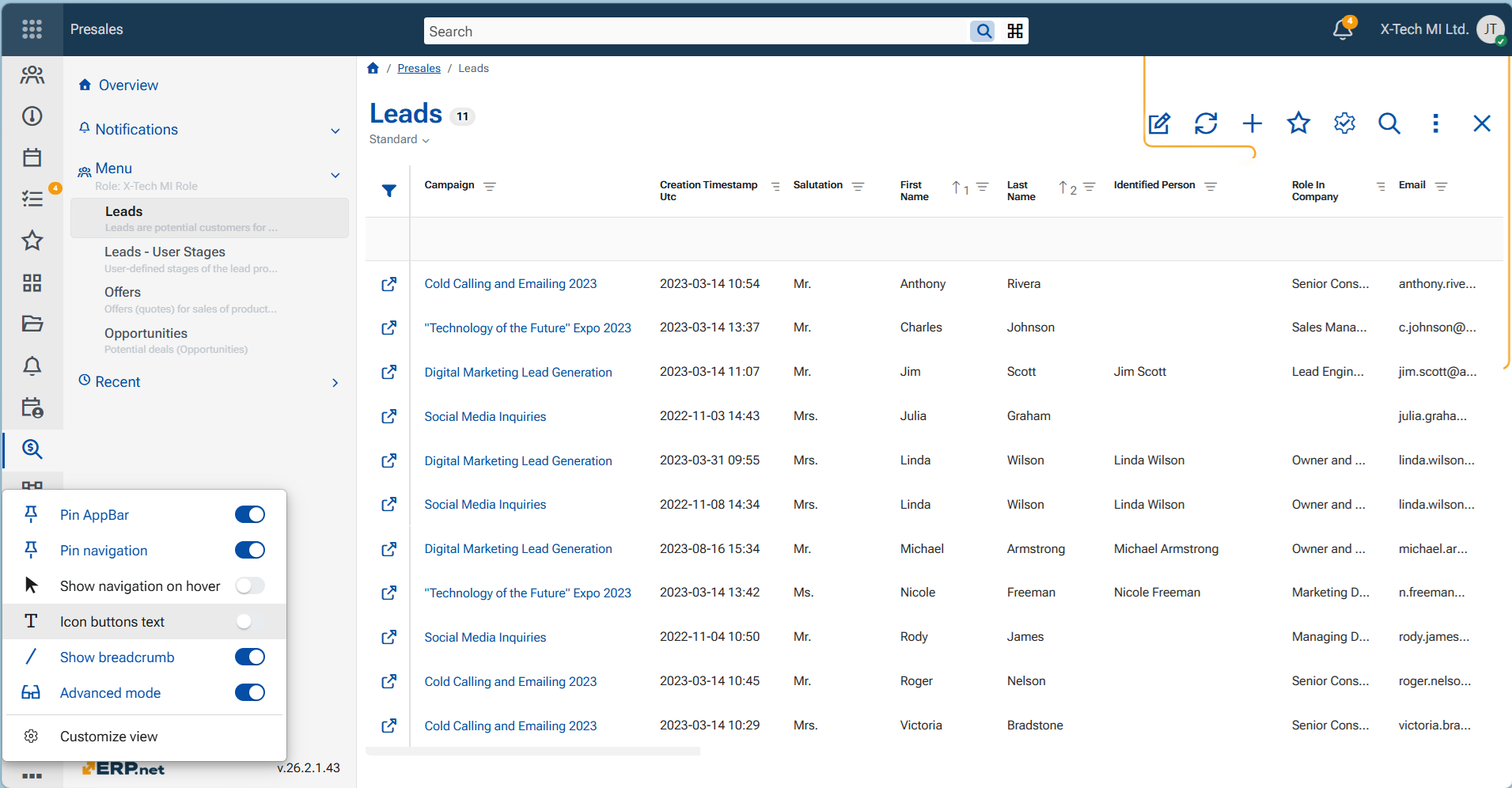
Navigators in ERP.net Web Client
Navigators are one of the core user interface components in the ERP.net Web Client. They provide a structured, table-based view for working with collections of data such as documents, master data, and other business records.
A navigator displays records in rows and columns, allowing users to quickly browse, search, and understand large datasets at a glance. Each navigator is focused on a specific entity or dataset (for example, sales orders, invoices, or products) and serves as a central entry point for interacting with that information.
Navigators are used to:
- Explore and locate records efficiently within the system
- Sort, filter, and organize data based on relevant criteria
- Open individual records for detailed view or editing
- Customize how data is presented by adjusting visible columns and layout
- Perform actions on sets of records, such as exporting or grouping data
Within the Web Client, navigators act as the primary bridge between high-level data overviews and detailed forms, enabling users to work effectively with both individual records and large volumes of information.