Context menus
These accompany many elements in the platform - the forms, the panels, the main menu, the buttons, the features, the fields, the app bar. They contain the other available options for the current record or element - what else you could do with the object (the form, the panel, what other reactions there could be to a comment, options for comments etc.
In this section we will explain in details several commonly used context menus and their content
User menu
App-bar menu
A significant role in the customization plays the App-bar menu. It allows you to control how the Web Client interface behaves and what UI elements are visible on the screen. From here, you can adjust the visibility and behavior of the navigation panel, enable or hide contextual elements such as breadcrumbs and button titles, and switch between a simplified and an advanced interface using Advanced mode. These settings let each user tailor the interface to their working style—balancing clarity, screen space, and access to advanced controls.
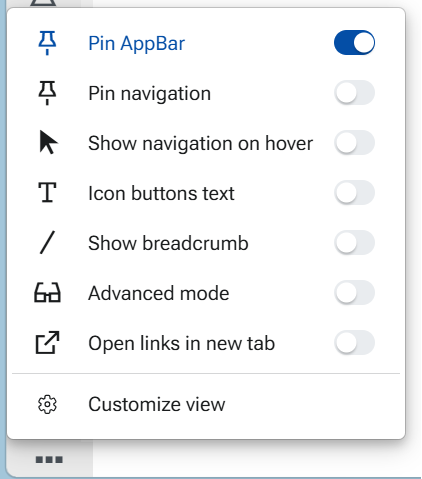
Complete guide is availabe in this article - App-bar menu options