Security
Notable features
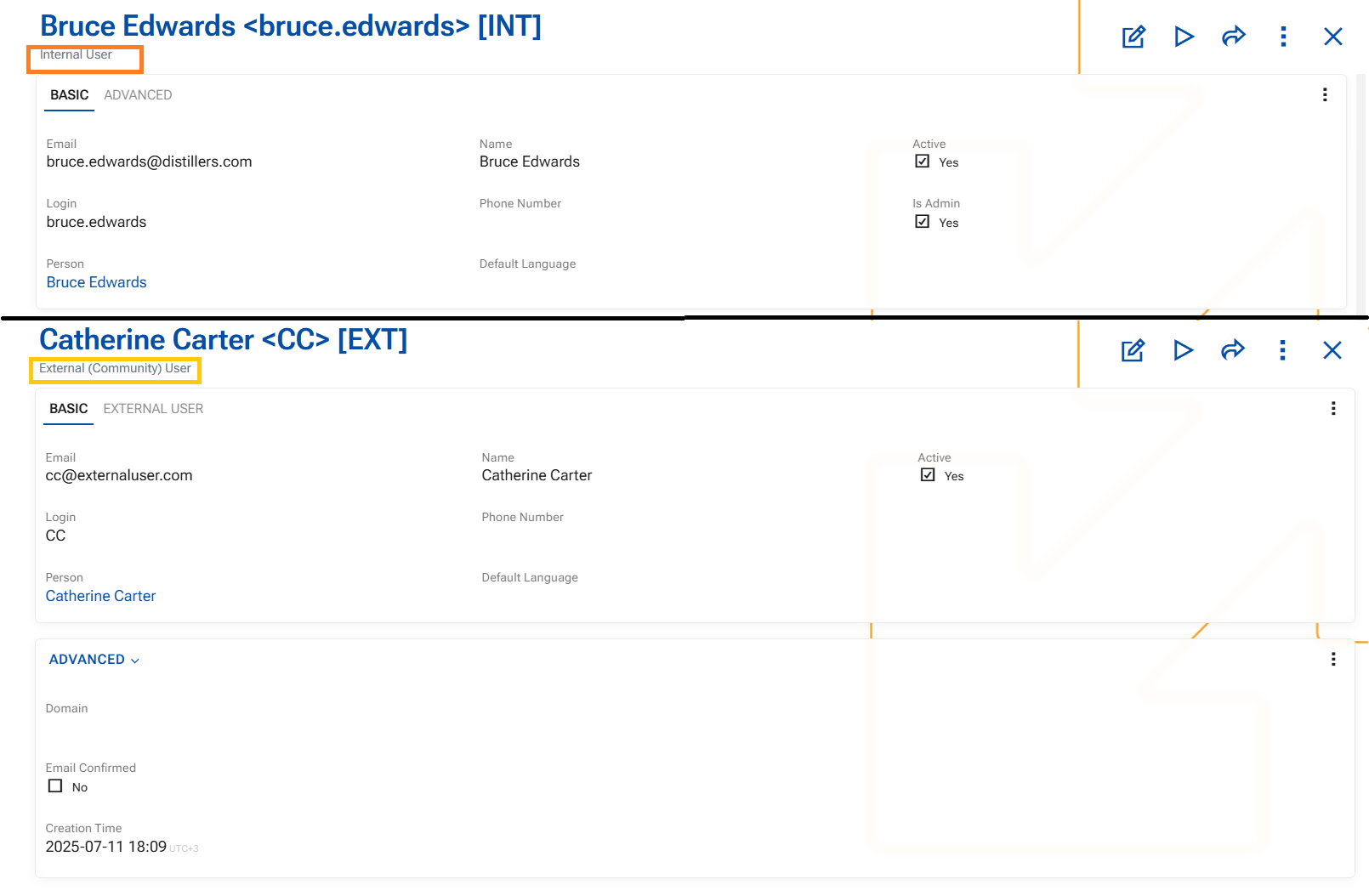
⭐ Different single-form layouts per User Type
ERP.net now supports different single-form layouts for Users based on User Type. This means administrators with layout administration permissions can configure the User form differently for each user type, and save those layouts for shared use. Once saved, the appropriate layout is applied when working with users of the same type.
This makes it easier to present only the fields and sections that are relevant for each type of user, without one layout affecting all others.
This enhancement also establishes the same principle for scenarios where the layout category is based on a system-defined enum value.
Other features
1. System tweaks at User creation
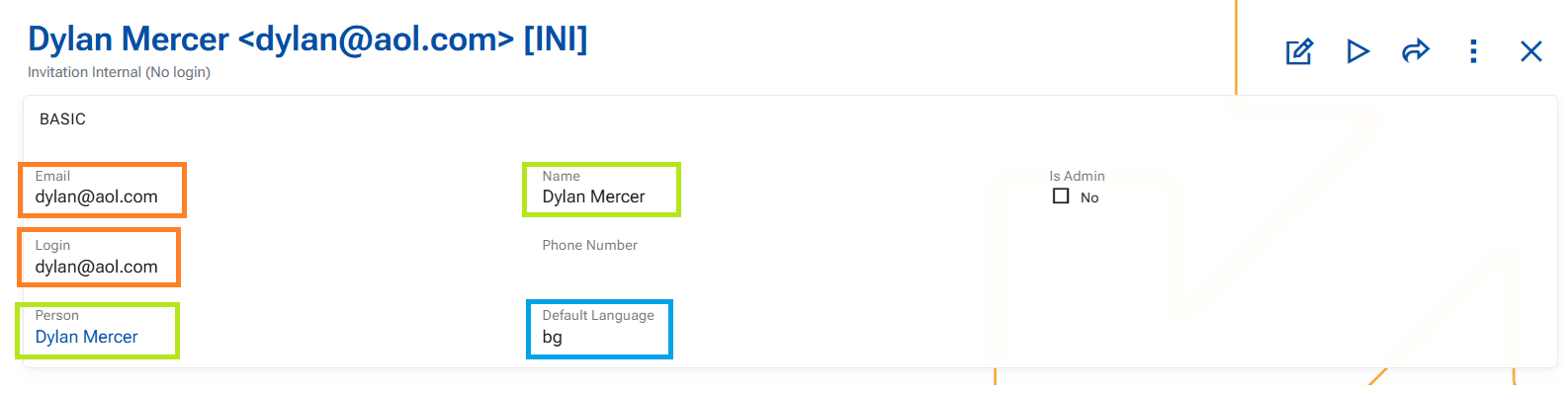
Through a series of business rules we have introduced several improvements in user creation and maintenance to streamline data entry and ensure consistent defaults.
These changes aim to:
- reduce manual input
- improve consistency
- provide sensible defaults while preserving user control
➡️ Email → Login auto-fill
When Email is populated, the Login field is automatically filled with the same value.
- This applies only if Login is empty.
- Once a value exists in Login, it is not affected by further changes to Email.
➡️ Person → Name synchronization
When a Person is selected, the Name field is automatically populated.
- If Person is changed → Name is updated accordingly.
- If Person is cleared → Name is also cleared (and validation will require it again on save).
➡️ Default Language initialization (R39700-3) -This rule applies only on insert
On user creation, DefaultLanguage is automatically set:
- First from the system configuration (Default language).
- If not defined → from the current language of the user creating the record.
- If
DefaultLanguageis later cleared, it is not re-populated automatically. In this case, the system uses English as an implicit fallback.