Desktop Client
WIN Client also undergoes improvements and transformations, although less frequently. Here are some of the novelties introduced in version 26.2.
⚠️ Breaking Changes
Notable features
Other features
1. Greater control over desktop notifications
Until now, every incoming notification automatically appeared as a blue pop-up balloon, occasionally obstructing part of the screen. With the new configuration option "AllowNotificationPopups", this behavior is now fully controllable. The setting is in Settings menu.
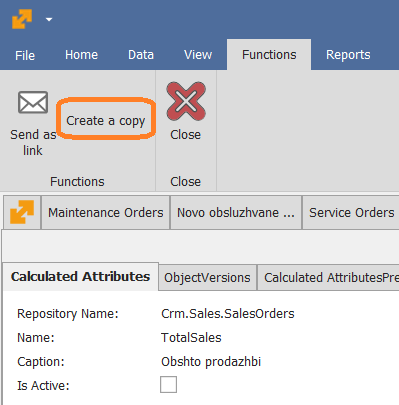
2. Create a Copy of a Calculated Attribute
We’ve introduced a new option in the Desktop Client that allows you to create a copy of an existing calculated attribute.
This function duplicates the attribute’s parameters and all associated expressions, so you don’t need to recreate complex logic from scratch. After copying, you only need to adjust the Repository and Name and modify any parameters as required for the new purpose.
This enhancement significantly reduces the effort involved in building similar or identical calculated attributes and helps prevent errors when re-entering complex expressions.
3. Save Product group in the view
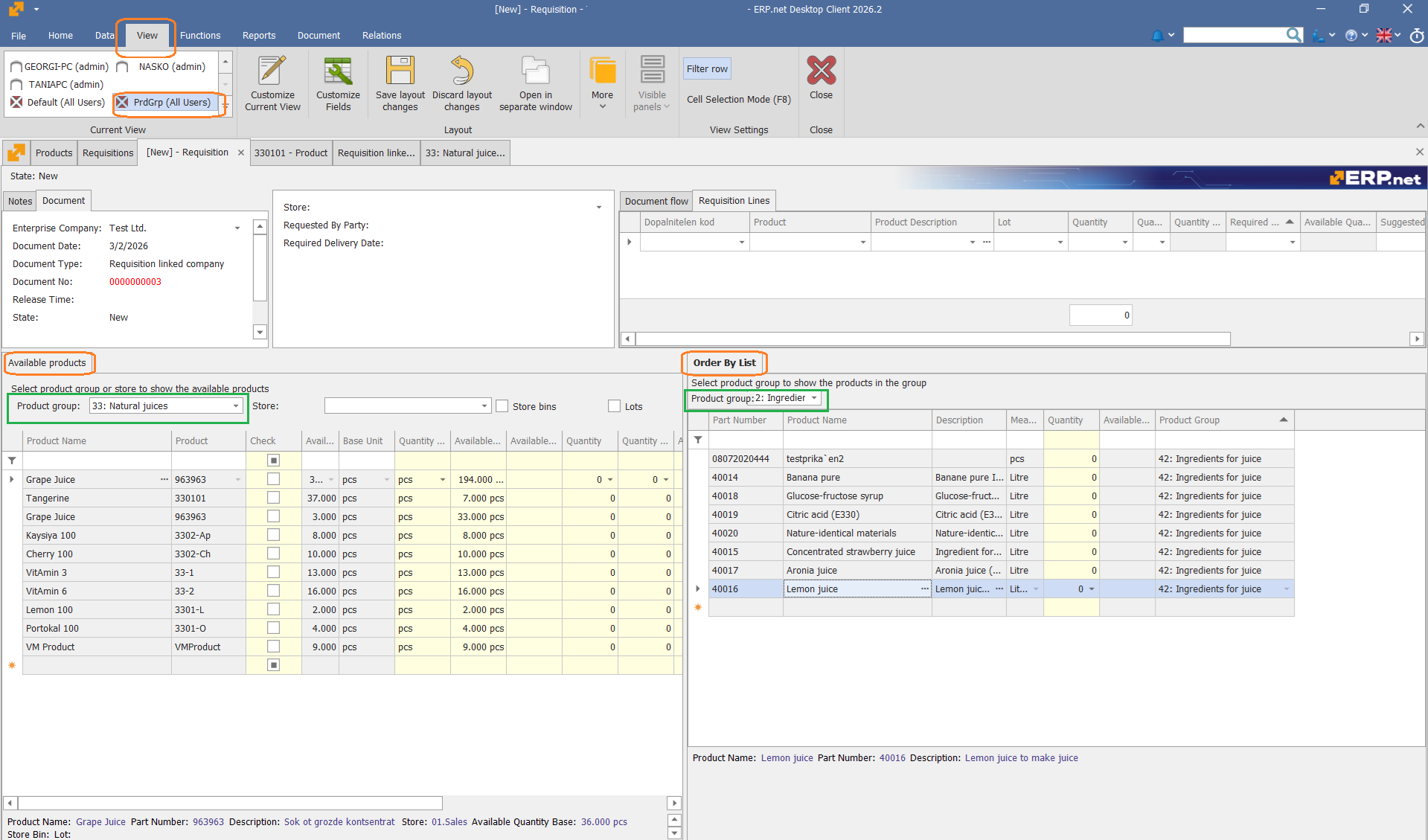
When you select a Product group in a form (e.g. Requisition, panels "Order by list" and "Available products"), the selected value can now be saved in the form view. The next time you open the form, the same Product group will be preselected and the product list will already be filtered accordingly.
👉 Saves time when working repeatedly with the same product group
👉 Reduces repetitive filtering actions
👉 Improves efficiency when creating new requisitions from scratch
4. Unsupported dark themes disabled by default
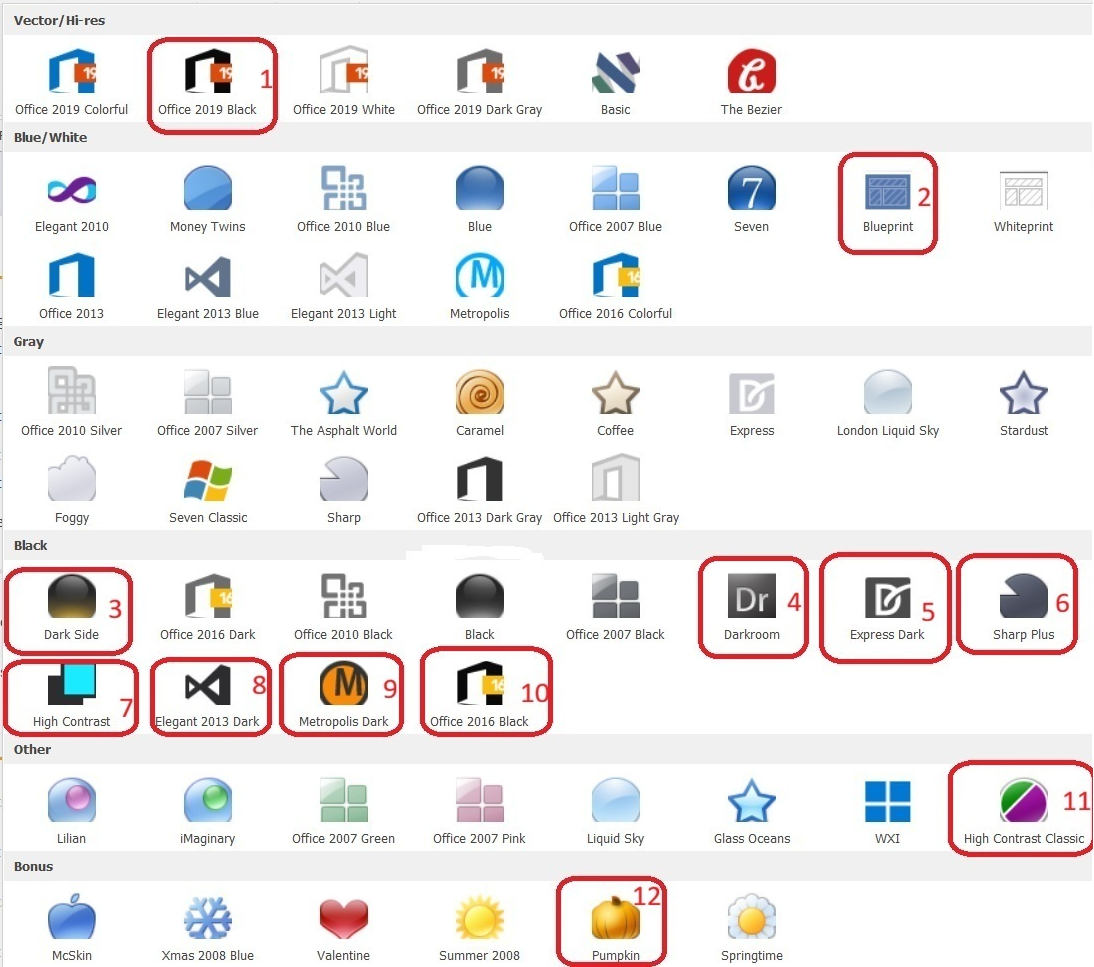
We have identified several dark themes in the Desktop Client that contain visual issues. These themes will not be fixed. Instead, we are introducing a configuration option:
"UseUnsupportedThemes" in Settings menu
- Disabled (default): Unsupported themes are inactive and cannot be applied.
- Enabled: The themes can be used at your own discretion.
Important
After upgrading, if an unsupported theme is currently in use, it will automatically revert to a supported theme. If you still wish to use these themes, you must explicitly enable UseUnsupportedThemes after the update. You must log out and log in again for the change to take effect.
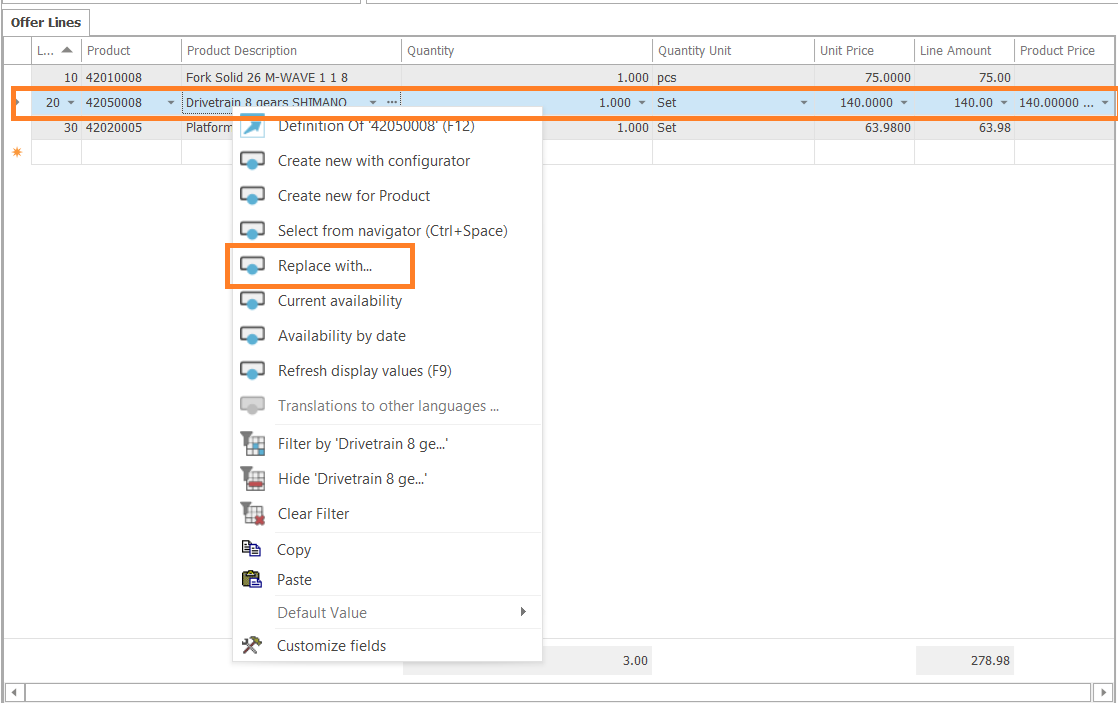
5. Product replacement with "Replace with..."
ERP.net allows you to replace one product in a document line with another product that has been defined as a valid Replacement in the Product Relations framework.
Learn more from the link above.
6. Deactivate a Currency
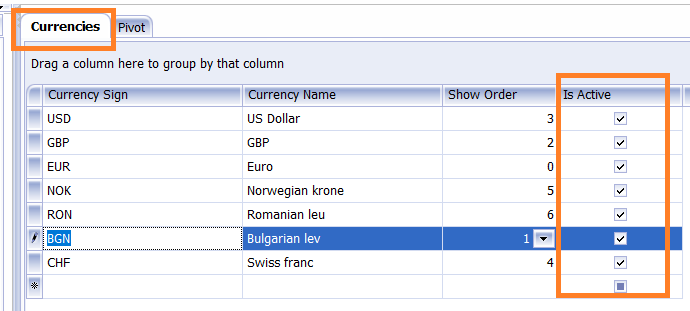
We’ve added the standard Is Active field to Currency, allowing currencies to be deactivated when no longer in use (e.g., BGN as a delisted currency). Inactive currencies are excluded from selection lists, preventing accidental use in documents.
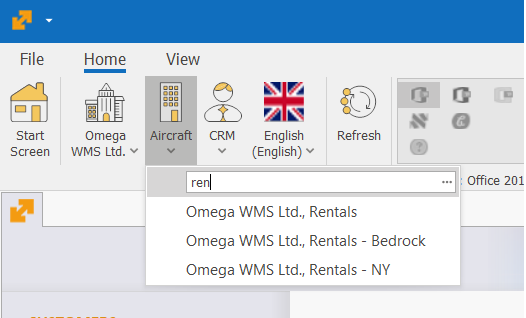
7. Search Company Location
Finding the right Company Location is now faster and easier when many locations per Enterprise Company exist. We've added a search box to the Company Locations list.
Now users can enter a keyword to quickly find the Company Location they need to work with. As you type, the list is automatically filtered to display only the locations matching your search criteria, helping you locate the desired entry more efficiently.