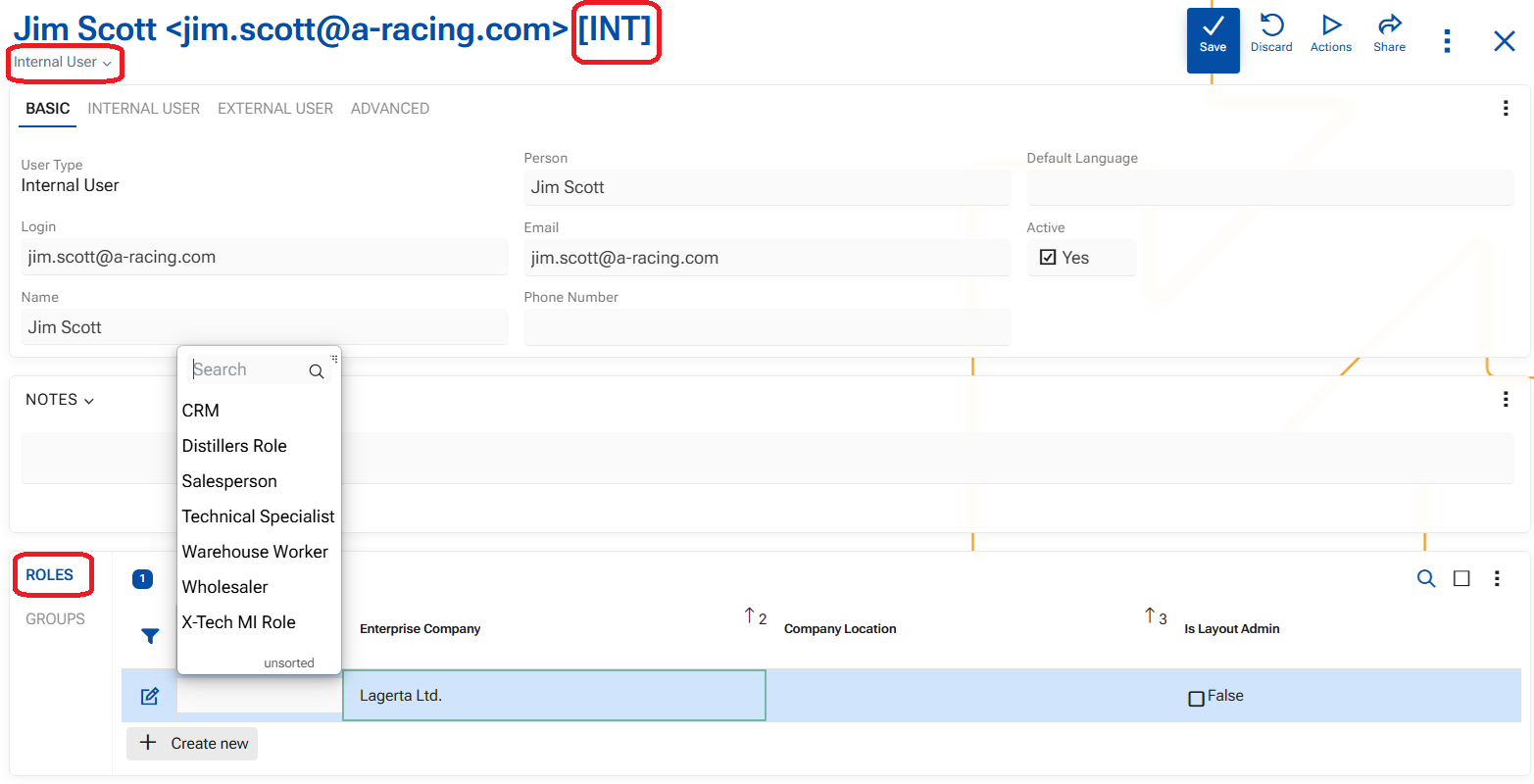
Change User type
The Change type function allows one click change of the type of the user. Use this function when a user’s status or relationship with the organization changes—for example, when an external user becomes an internal employee.
Changing the user type may affect the user’s profile settings. It does not automatically change the user’s roles or permissions. Before proceeding, make sure the selected type matches the user’s actual status and intended access.
Steps
- Open the users's profile - its current type is indicated just below its Title
- Open the menu of button "Actions"
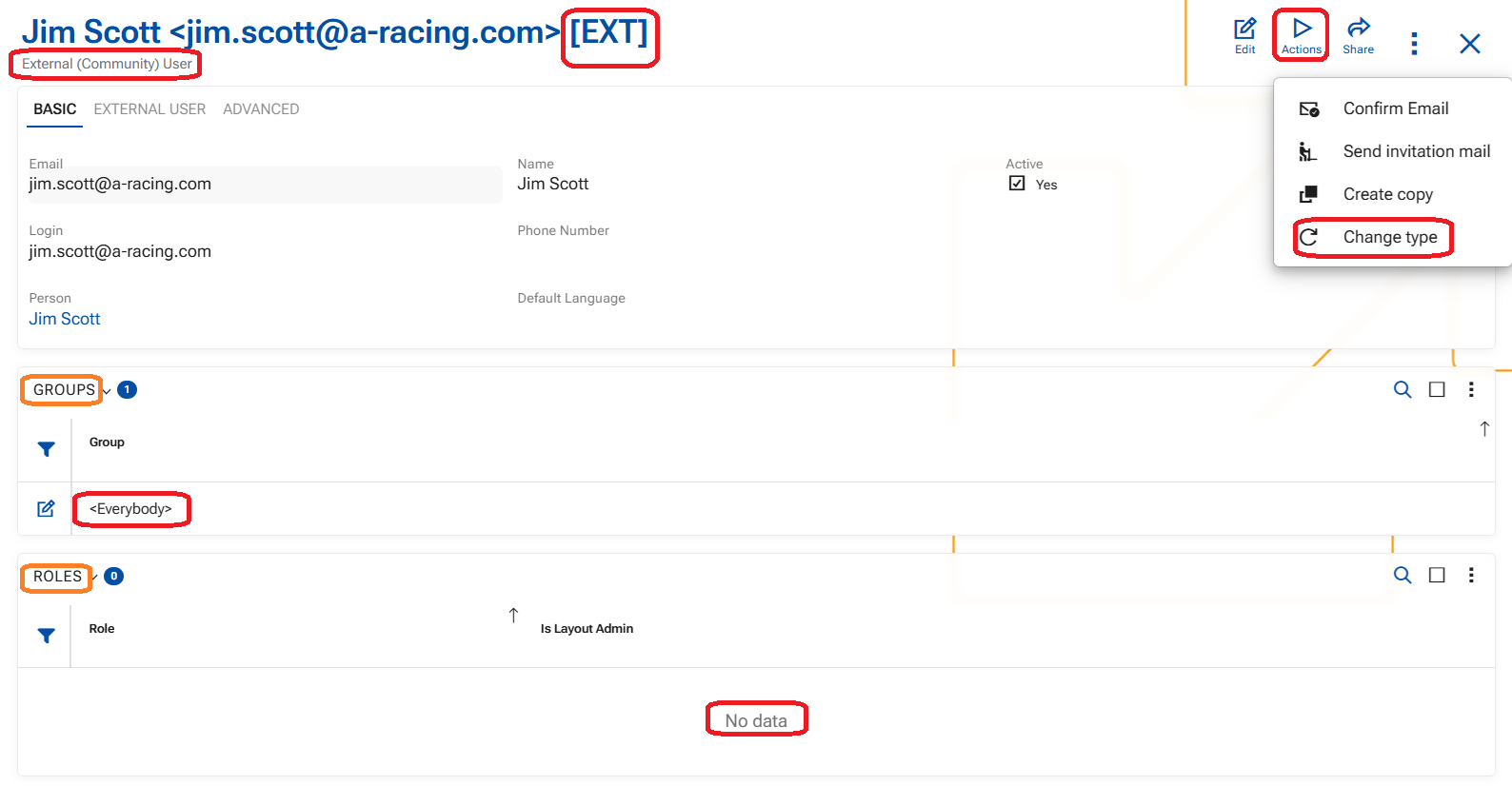
- Locate and press UI "Change type"
- choose the desired type in the drop-down list of the pop-up window and press OK
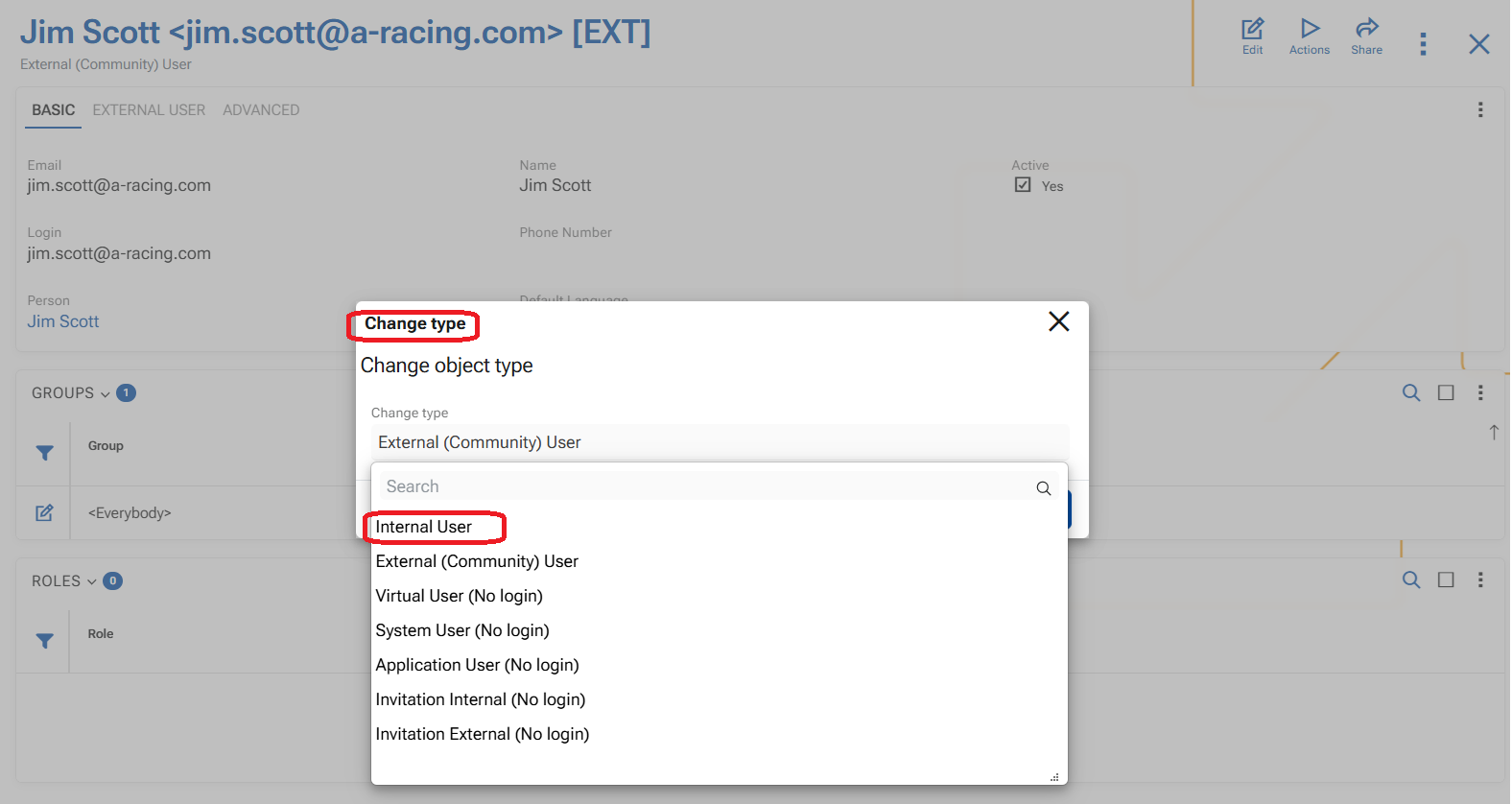
The form reloads and the type of the user is now changed.
- Assign a Role to the user, crucial for Internal users.