Price Lists
Price lists are defined in Pricing → Price Lists in the Set Up section.
A product price can reference a specific price list, which is then used as an applicability condition during price determination.
For example:
A company can define separate price lists for Retail, Wholesale, or Seasonal Campaigns to organize product prices for different commercial conditions.
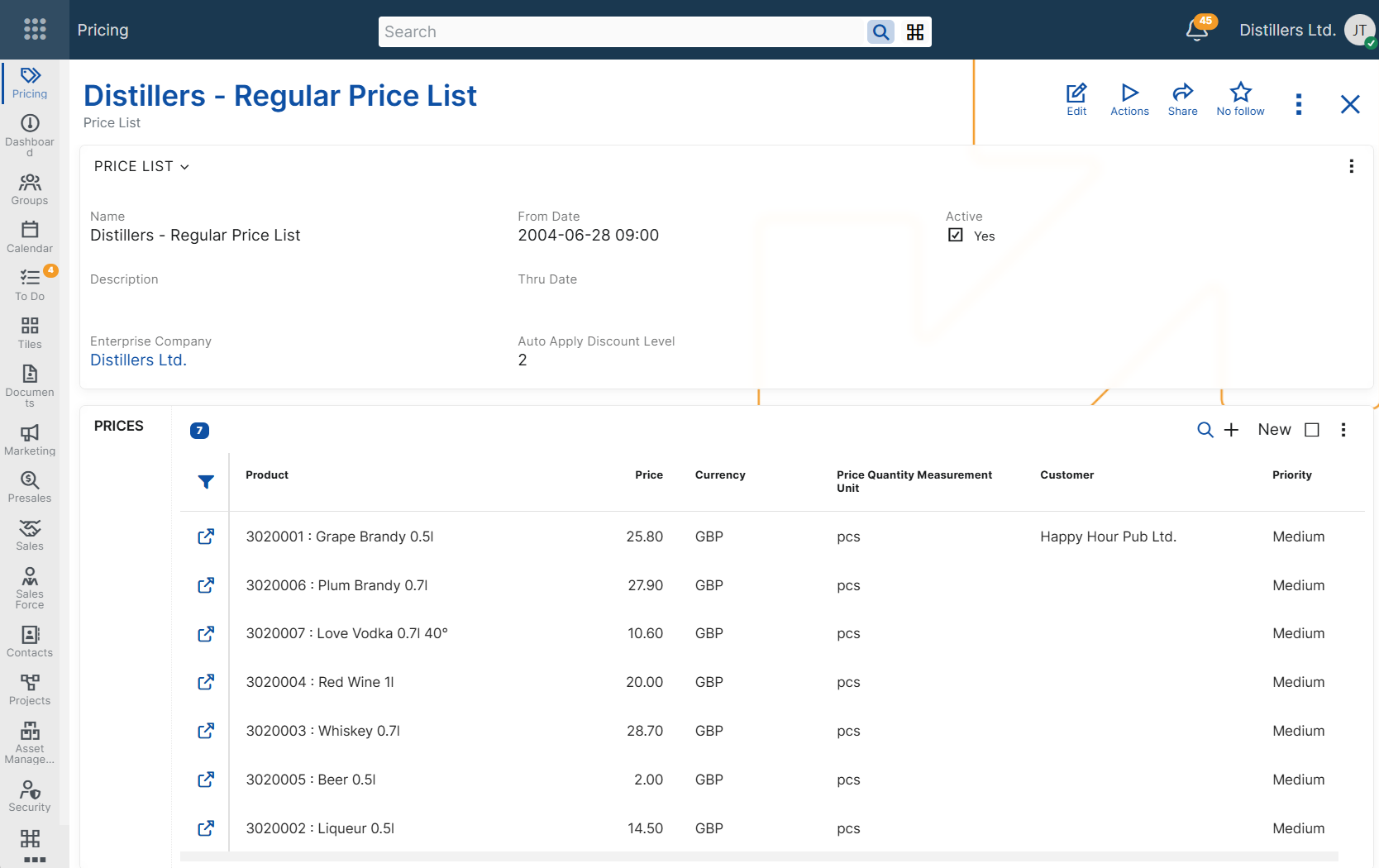
The main settings of a price list define:
- its name and description;
- whether it is active;
- the period in which it is valid;
- whether it is limited to a specific enterprise company
- the maximum line discount level that ERP.net applies automatically in sales orders.
Availability in sales documents
The configuration of a price list defines when it is available for use in sales documents.
A price list is available for selection in the Price List field only when it is active, valid for the document date, and assigned to the same enterprise company as the sales document.
Automatic line discount application
A price list also controls how many line discount levels ERP.net can apply automatically in sales orders.
The Auto Apply Discount Level setting defines the maximum discount level that ERP.net can apply automatically when this price list is selected in a sales order.
Level 1 discounts are always calculated. Level 2 and level 3 discounts can be applied automatically only when the selected price list allows this.
For more information about how discount levels work together, see Multi-level line discounts.
Maintaining related product prices
A price list can also be used to maintain related product prices.
In the Prices panel, users can add, review, and edit the product prices assigned to the list without opening each product price record separately.
Note
The Prices panel is convenient for quick maintenance and review. For larger sets of records, it is usually more practical to use the Product Prices navigator filtered by price list.
For an overview of product price applicability conditions, including price lists, see Configuring product prices.
For more information about how ERP.net selects the final price when multiple product prices are applicable, see Determine product price.